Advertisement

Share this:

Video result for Discord Token Logger Download​

GitHub - 9P9/Discord-QR-Token-Logger: Utilises Discord QR ...

tip github.com

Discord-QR-Scam About. A Python script that automatically generates a Nitro scam QR code and grabs the Discord token when scanned. This tool demonstrates how people can trick others into scanning their Discord login QR Code, and gain access to their account.

423 People Used
More Info ››

Discord-token-grabber · GitHub Topics · GitHub

hot github.com

An advanced discord token logger that dumps system information, goes through the registry, and more. ... This script uploads "discord local storage" folder to your website and after that you can download the folder and grab the token manually. discord discord-grabber discord-token-grabber Updated Mar 1, 2021; C#;

498 People Used
More Info ››

Tools - Discord Tool -token Checker/Generator/Exploit ...

tip fssquad.com

#discord #selfbot #raidtool #raid #tool #discordraidtool #discordraid #raid #discordraidtool #discordraid discord raid tool free discord raid tool download discord raid tool python discord raid tool paid how to raid on discord discord raid tool github discord raid tool 2021 discord bot raid tool best discord raid tool new discord raid tool discord raid raid tool for discord discord raid tool ...

286 People Used
More Info ››

Discord token grabber - Hacking Tools - LeVeL23HackTools

new level23hacktools.com

Discord token grabber. First, launch pip install auto-py-to-exe in your command prompt. Second, download this git, star and fork it for support kty. Third, launch auto-py-to-exe launches a small terminal. Follow the steps and there you go a small token-ip grabber.

393 People Used
More Info ››

DiscordSelfBot - GitHub Pages

new planetteamspeakk.github.io

A nice selfbot for discord. Installation. For installation you will need. Python latest (v3.5+) MAKE SURE TO ADD TO PATH. Git DON'T CHANGE ANY OF THE SETTINGS. Then just download and extract the bot, the rest will be automatically done. Token. How to get your token: On Discord App: Press ctrl/cmd+shift+i; Press the 2 arrows next to each other ...

218 People Used
More Info ››

Korzy60 • Token Generator

great discord-token-gen-korzy60.glitch.me

Number of tokens to generate (In 1 second) Start! Stop! Clear Tokens

258 People Used
More Info ››

Logger discord - Pastebin.com

trend pastebin.com

Pastebin.com is the number one paste tool since 2002. Pastebin is a website where you can store text online for a set period of time.

257 People Used
More Info ››

Discord exploit collection - GitHub Pages

top 6uv.github.io

Discord exploit collection. I didnt find these, Only showing them :) ... Messsage logger Messsage cleaner Token warn Token checker Discord ip grabber Discord proxy bot Discord reporter Mass messager Status changer ...

286 People Used
More Info ››

Is there a way to remove a token logger? : discordapp

top www.reddit.com

258. 25 comments. Continue browsing in r/discordapp. r/discordapp. Your place to talk. Discord is a voice, video and text communication service to talk and hang out with your friends and communities. 770k. Members. 6.0k.

444 People Used
More Info ››

DiscordResolver.c99.nl - Discord IP Resolver

best discordresolver.c99.nl

A Discord resolver is a tool which uses an advanced state-of-the-art technology performing a packet interception scan method which scans to extract, decrypt and fetch IP addresses of users. It sends spoofed packets modified through artificial intelligence algorithms to adapt to the geo location of the target user, forcing the target to send an ...

422 People Used
More Info ››

Discord-Token-Grabber - Replit

great replit.com

Discord-Token-Grabber. A simple Discord token grabber written in Python 3. LAIP123. LAIP123. Fork. 16. Output Code. Not run yet. 12 runs. This repl has no cover image. Details. Created on Feb 21, 2021. No reactions yet.

55 People Used
More Info ››

[ Tool ] - Discord Token Grabber v0.1 | Get Any Discord ...

hot www.infected-zone.com

Apr 7, 2020. Legendary. Thread starter. #1. Discord Token Grabber By Nyan Cat. Send Token via Email. To view the content, you need to Sign In or Register . Reactions: icecream:3, Nippsino, local school and 35 others.

242 People Used
More Info ››

[DISCORD BOT] PASSWORD STEALER & TOKEN GRAB - Cracking ...

top nulledscript.org

Alright, so Ima be releasing this thing I recently found/been using for a sold min basically it steals the persons discord token and all the passwords they have, including chrome passwords, firefox, you name it whatever yk. Im pretty sure its not a virus since Ive been using it, but use it at you...

277 People Used
More Info ››

Python - Discord malware - Stack Overflow

hot stackoverflow.com

This is a token logger for the Discord desktop app. It also looks in your browser for other discord-related information. It has been reviewed in greater depth here:

156 People Used
More Info ››

Token Loggers and how to avoid them : discordapp

tip www.reddit.com

Token loggers are just what the name says, they log tokens of people to webhooks or whatever they use, these can bypass 2fa. How to avoid: Do not download .exe .bat .vbs .jar before decompiling them or checking their code, if you dont recognise an extention, do not download it. If you did download it, delete it and DO NOT run them.

198 People Used
More Info ››

Token Logging and 2FA - Discord

great support.discord.com

Can 2fa protect me from someone who mightve token logged me? I think someone token logged me and i'm worried.

385 People Used
More Info ››

Simple script to log in to discord account using token ...

new gist.github.com

Try my userscript to login to discord accounts using tokens with ease, find it here. Open developers tools in chrome, and then paste the code in there. And then your page will reload and boom, you will log in to the discord account.

221 People Used
More Info ››

Discord-logger · PyPI

new pypi.org

Python Discord Logger. A custom message logger to Discord for Python 3. This project was inspired from winston-discord-transport for NodeJS and built using discord-webhook, which offers an easy interface for constructing and sending messages through a Discord webhook. If you are looking for a Slack alternative, please check python-slack-logger.

288 People Used
More Info ››

Blacknet 3.7.0.1 | Ddos Panel Cracked [Full Source ...

tip crackiansleaks.com

9. Steal Discord Token 10. Steal Clipboard Data 11. Execute Shell Commands + CMD (Command Prompt) + Powershell 12. Send Spam Emails 13. Run XMR Miner 14. Seed a Torrent File + From Disk + From URL 15. Keylogger 16. Execute Scripts 17. Execute Custom Plugins 18. Computer Operations + Restart + Shutdown

363 People Used
More Info ››

Discord Token Login - Pastebin.com

tip pastebin.com

Pastebin.com is the number one paste tool since 2002. Pastebin is a website where you can store text online for a set period of time.

455 People Used
More Info ››

Useful Blogs

How to Login to Minecraft with Microsoft Account?
We will help secure you and your account by growing account protection and introducing Minecraft's new security features. If you move to a Microsoft account, you can enable authentication of two factors that make access to your account much more difficult for intruders. Over time, we will also improve other player protection features. You must switch to a Microsoft account if you are using a Mojang account to continue playing Java Version. You're no longer going to need it! After migrating, you can log into the Minecraft Launcher using your Microsoft account to play the game. MIGRATE MY MOJANG ACCOUNT TO A MICROSOFT ACCOUNT? We'll let you know when your account is ready to migrate on your profile page on Minecraft and the Minecraft launcher. You can only click on the advertisement to migrate if you are told that you are registered. You won't have to wait a little longer if you cannot locate the announcement on Minecraft.net or the launcher in Minecraft – but we'll let you know when your turn is going to take. Five simple steps are taken in the migration process. To migrate, click the ad. Sign up on an existing Microsoft account or build a new Microsoft account if you have not already. Set up your profile — don't worry, this doesn't need an Xbox. Confirm your Microsoft account migration. Farewell! Now with Microsoft: Java Version, you can play Minecraft. LEGACY MINECRAFT ACCOUNT TO A MICROSOFT ACCOUNT You have time to migrate – when you get the email, you don't need to travel right. However, you will need to transfer your account or risk closing when the voluntary migration period expires. Not at the moment. We will soon have a solution, but you can continue to log in with your legacy Minecraft account in the meantime. In 2010-2012, Legacy Minecraft accounts were used. If you have a user name instead of an email address, you know that you have one. Don't worry; exactly how you log in to the game is the only thing that changes. We switch Mojang accounts to Microsoft accounts only, enabling you to have access to new protection. Minecraft: The Java Version will remain the same, and in the future, we shall keep updating and promoting it. ACCOUNT HAS BEEN COMPROMISED? First, try signing in with your previously identified username or email address and password. Please contact Minecraft help if you still can't log in or think your account is compromised. Make sure you share with our team your original transaction ID. Please be able to answer more safety questions if you do not have it. We'll let you know when your account is ready to migrate on your profile page on Minecraft.net and the Minecraft launcher. You can only click on the advertisement to migrate if you are told that you are registered. You won't have to wait a little longer if you cannot locate the announcement on Minecraft.net or the launcher in Minecraft – but we'll let you know when your turn is going to take. Migration Process: All of your knowledge, including your username, worlds, content, and capes, is transferred into your Mojang account. You can access both games with that account if you move your Mojang account to a Microsoft account, which has been used to play Bedrock (on any platform). You will sign up for your existing Microsoft account and move your Mojang account to it when you start the migration process. In the same way that players use a different email address per Mojang account today, you will need to move each Mojang account to a separate Microsoft account. We have created a new Minecraft account switching feature to manage more than one account and play sessions easily. You can retain your Java Version in-game username. You will have to choose an Xbox Gamertag during the account migration process. We work on a solution for launchers from third parties, and we will keep you updated. Microsoft Account Sign Up:  You have a Microsoft account if you are using some Microsoft services (Office, Outlook, etc.). You can build one during the log-in process when you don't already have an account. Go to Microsoft and click Register. Specify the email, phone number, or Skype link you are using for other services, such as Outlook, Workplace, etc., and pick Next. Can you pick No account if you don't have a Microsoft account? Build one! Create one! Please notice that we advise you to use and use a daily email already. Enter your password and pick Hold me in the box if you are next to enter your account. Sign in to your Microsoft account on Minecraft Mobile: If you cannot register, you can also fix this by using the Xbox application to verify which Minecraft account your computer is logged in to. Download the Xbox free software from the store of your mobile app. Open the program Xbox. Sign in to your account with which you want to play. Try to sign up on your Xbox/PC/Mobile computer again. Tap here to learn more about Minecraft login. Click here to find more details about passwords that are changed or forgotten. If you think the computers that change your account are missing, click here. Return here to Minecraft troubleshooting if this does not fix your problem.
Read More

Things to Know When Entering Your Account to "Not Secure" Website

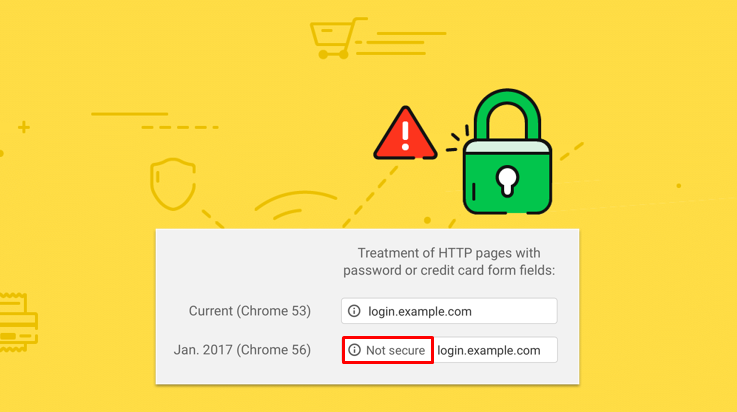
The 68 version of the google chrome browser introduced the latest" not secure" warning in the address bar. Furthermore, it can appear at any time when you are also visiting the insecure webpage. Moreover, the latest chrome version also has the pop when you view the click message that mostly explains. Moreover, your connection to the site is not secure well. However, you might have seen the warning sign on the site.  The "Not secure warning sign” The "not secure warning sign" means a lack of secure connection on that page. Moreover, it can be the alert sign that the information that can be received or sent with that page is unprotected and can be stolen, modified by the hackers, and read. There can be several other problems with the help of internet structures. Moreover, the "not secure warning sign" mostly means that your website is not safe due to the malware attack on that account. Furthermore, it is only to alert you that you can have secure connection problems with that page on the site on which you are landing.  Site owners do have the responsibility to check about the malware sign on that site, and there must be the site visitor that cannot change the implementation of the security measures. Moreover, this article will solve what is impossible and that the site owners have that the visitors can fix.  Warning Signs You need to note all the warning signs that have been appeared in different browsers. The not secure option mostly looks like on Firefox, Safari, and Chrome. Therefore, you need to look at the warnings when they appear in front of you. Unsecure Websites The un-secure websites mostly display the not secure option that can appear on every page using the HTTP protocols. It is because it is incapable of providing a secure connection. Moreover, this is historically the primary protocol for the internet connection that has been used. Furthermore, over the last years, most websites have been transitioning to HTTPS. Here the S means the secure websites. Moreover, it provides encryption and authentication. It is mostly used by millions of websites that include Amazon, Facebook, and others. You can protect the information while logging, browsing, and making purchases. Moreover, some websites can also support HTTPS connections, but not all mostly, it is because in some cases, insecure pages are not the priority. Moreover, if you are the visitor or the operator, or the website owner, then using the HTTP and this warning is here what you can do.  For Administrators/Owners of the Administrators The warning sign can be displayed on any page and can be served on the HTTP. Moreover, it is an unsecured protocol. If you are looking for a warning sign to operate or want to operate, you must resolve it by enabling your site's HTTPS protocol.  TLS/SSL Protocol After using the HTTPS with the help of SSL/TSL protocol, it can secure a secure connection that is both authenticated and encrypted. Moreover, the HTTPS helps you obtain an SSL/TSL certificate, and after then, you can install the certificate and enable the HTTPS protocol with the help of your web server. Moreover, if you do not have the HTTPS deployed at all, then you can also use the Wizard certificate that can help you to figure out which TLS certificate is important and what you need. Furthermore, your need can vary and depends upon how many domain names will operate you there if you want the business to get validated for the additional user trust. Furthermore, the review guide of the HTTPS assists you in supporting the HTTPS by default.  Furthermore, web browsers include Mozilla Firefox, Google Chrome, Microsoft Edge, and Apple Safari. Moreover, it will have an interface that will help you warn the users to get about the insecure pages. Therefore, it is important to support the HTTPS for optimal use and the experience's security benefits. In addition to this, several new web-technologies are required for HTTPS. Some of them can improve your website, as well.  For Website Visitors Note that the basic browsing over the HTTP like looking at the recipes and then reading the newspaper. You can look modified, monitored, and then recorded by entities, like the government or ISP. It ultimately means that you will not have any privacy for such pages. It is because of public WIFI networks like airports, coffee shops, and the additional risk from all the local attackers. Also, there are some other computers on that network. These are ultimately there to monitor and view pages you are looking at. What you are searching for while roaming around those pages.  Conclusion All in all, these are how you will know about how you can solve the login problems and the security issues happening at the time of login.
Read More

How to Fix "Face ID not working" Problems on iPhone?

iPhone is one of the most famous phone brands, recently the iPhone launched a great feature of facial ID, replace fingerprint. In case any issue raises in this feature, you should know How to Fix "Face ID not working" Problems on iPhone. However, you can instantly sign into apps or authenticate your buying details. It is undoubtedly a fantastic technology, but it will fair enough frustrate you in the case of malfunctioning in your iPhone. Therefore, in the first hand, you should check that your iPhone model supports face ID or not. There are a lot of causes that "Face ID is not working", firstly you need to check your iPhone thoroughly. Which iPhone Models Support Face ID?   Facial ID technology is the latest feature for the iPhone. That's why only some models on the market feature it relatively. Only iPhone XS Max, iPhone XR, iPhone XS, or iPhone X allows this feature, so you can set up as well as using facial ID on your phone if you have one of those models. However, the previous models do not have this feature. Check for the Latest Updates Once you have analyzed that your iPhone is one of the models supporting facial ID, you should check for any updates to iOS. Therefore, make sure to back up your iPhone by using iTunes or iCloud before any updates to be done if you do not want to lose your data. Plug your device into an outlet. Connect to the internet that has high-speed Wi-Fi. Tap to Settings options. Click on "General". If it appears that there is a software update, immediately hit on Install button.  A message will appear which asks you to temporarily remove apps because iOS required additional space for an update.  You are allowed to tap on "Continue" to respond that you want to reinstall the apps later. Check to determine if the facial ID is fixed after you have installed the update. If it has not done its task, then switch to the next option. Check Your Face ID Settings Properly If you check the face ID settings on your iPhone regularly, it will help you evaluate whether the phone is configured, which enables you to use this feature. The setting can be changed by keeping in mind the steps given as under: Go to Settings Go ahead for Face ID and Passcode. Check it out if Face ID is set up in the correct format. Therefore, you should check to determine if the features you are trying to use Face ID, such as iPhone unlock or Apple Pay, are turned off. Solution if Face ID is not Set-Up If you have not set up your Face ID still, you are required to do that before you enable to use any of the features with which it is associated. Follow these steps to set up your Face ID: Go to Settings. Go ahead for Face ID and Passcode. You will have to enter your passcode there when prompted to do so. Tap the message prompted to Set Up Face ID. Ensure that your holding position of iPhone is in portrait orientation position. Head your face in front of the iPhone, then press "Get Started". Head your face in a way that it is entirely inside the frame. Slowly move your head to complete the circle. On the other hand, if you cannot transfer your head as directed, then instantly tap Accessibility Options. Tap Continue after accomplishing the Face ID scan. Slowly move your head around to complete the second circle. If you have not still set a passcode, then a message will be prompted to do so at the moment; Tap "Done". It is a substitutive way to verify your identity if the Face ID features malfunction ever. Check to determine if the True Depth Camera is Covered Have you reached this point and have tried the options we have discussed above? Still, the facial ID is not working? Now you should check if the True Depth camera is not covered in any way. It is what the iPhone uses for this feature. The True Depth camera is located near the top of the front of your iPhone. If your phone has a screen protector that is blocking the camera, you will have to remove the protector for this feature to work correctly. Furthermore, check for any dirt, grime, or other buildup.  You should check to see if the camera is in landscape mode as well. If it happens, ensure that your palm or finger is not blocking it while trying to use it. If this situation raises continuously, you should look for the alert at the top of the screen, which prompted that "Camera Covered," with the arrow pointing in the True Depth camera direction. Ensure Your Face is Uncovered You should further check to ensure that you face open and not covered at any mean that is keeping the True Depth camera from recognizing you. Therefore, your eyes, nose, and mouth area must be evident to the camera.
Read More

How to Solve G-Suite Admin Login Problems?

G-suite is the best collaboration workplace suite, and it is best that how teams are transforming together. G-suite is the same as Gmail, Google Drive and pretty safe to use. However, managing G-suite is the best way to manage a difficult task. In this blog, we will learn about the problems of G-suite login and their solutions well. If you face the problem while logging into the Admin Console of G-suite, we will get step-by-step guidance and learn how to troubleshoot such issues. Getting the login error messages When normal g-mail accounts are failed to sign into, if you face problems with your mail id or if you can use any other account that must not be followed, you can also enter admin.google.com address linked with your managed Google Account ( or G Suite or Cloud). Enter admin.google.com in URL   Add account You can also use the add account option from the window. Furthermore, you can also use the admin password and email id. How to use that domain that does not contain G suite? If you have watched an error while signing into the console admin, it means cloud or G-suite identity accounts might have been deleted or deactivated. Furthermore, you can deactivate google, which can be failed in your domain before the free trial period is completed.  Moreover, it is hard to recover the data from the deleted account. However, if you wish to have the google service, you must sign up using your domain. Furthermore, to reactivate your account, you can wait for the hours when the account was deleted. Similarly, if you wish to sign up for the G-suite, you must go to the G-suite website. When can you not find your google account? Sometimes both cloud identity or the G-suite accounts do not exist or are unavailable. Here are the ways that you can do that easily:  Verify what you have entered  You need to recheck the information you have entered when signing into your G-suite account. Then it would be best if you went to the Admin URL. Use different domain to sign in If you require additional domains to login into your G-suite, then you can skip this step. However, you cannot sign into the Admin console with the address you have that belongs to the alias domain. The alias domain is the name of the domain where you and your user can get the domain's direct addresses. Furthermore, you can receive and send your domain alias and domain. Moreover, there is no additional cost that can be charged. Instead, you can sign in to your username's help that can help you create an account. Finding your Admin username or a password If you with your admin have signed into your G-suite or any other managed accounts that can access your console admin. You can easily do it with the help of admin credentials. Forgetting your password  Ask for admin help If there is any other person or any other organization's help who can manage the admin account, ask them to reset your password.  Reset your admin password However, if there is no one, you can ask for help from the admin's account. For this reason, you need to visit the admin account. You can use the username; if it is not on the sign-in page, then you can click on the Next. Click on the forgot password You can click on the forgot your password, and then you must follow the instruction to reset your password. Forgetting the admin username If you are using the email address or the username from the domain, it must retrieve the username. First, you need to go to the admin website, and from there, you can use the option of forgot email. When the admin leaves the office, who will control the access? If you wish to have the password and username, you must contact your admin. Once you have found to have the company, then you need to fill the field. You need to prove the owner and the account. Once you have added the information into that account, you can add all the recovery options to control your administrator account. If you want to see the Admin console Suppose you want to sign in but cannot see the Admin console there. If you are facing a problem with the password, you must have the 2-step verification. If you have your admin password, but if you wish to sign into the G-suite account, here is the 2-step authentication. For this purpose, you must watch the onscreen steps or contact the person who could assist the verification backup person. Login issues  If you are facing login issues, then you must follow the form:  G-suite account date must be created  Original email address with the G-suite organization account  Google order number must be with your account Several G-suite users have their account  Mode of credit card which is used to create a g-suite account. Conclusion These are the tips that can be best while solving all the problems related to the g-suite account. Hence, once following all the information, you can easily solve the problem of g-suite ids.
Read More

Video result

Related News

We found a lot of relevant information for Discord Token Logger Download​. We provide the official link and a number of helpful pages for the login above. They are reliable sites collected by LoginNote. Please check it thoroughly!

Are the login pages suggested for the search 'Discord Token Logger Download​' safe?

We collect data from third party websites. These sites are selected based on their high trustworthiness. However, we cannot make any guarantees about safety when you are at risk by using those sites.

Will you provide the correct login pages?

Yes. On most of the results recommended for Discord Token Logger Download​, we provide the official links, they tend to be on the top of the page. Please check it.

Can I remove the login for Discord Token Logger Download​ to suggest another login?

Sure, you can. If you have another better recommendation for Discord Token Logger Download​, you can contact us via our email, send your link that navigates to that login page, we need to recheck before informing you by an email response.

If I can not login into a page, could you help me?

Firstly, you need to recheck what personal information you offer to confirm the login information is valid or not. Secondly, it is possible that the official page is temporarily suspended, so you can only wait. Or it is also possible that the links directing to the login pages are in some trouble, then you can contact us via email, we will overcome it right away.


